A SaaS application that shows the price before the customer pays
fdsrun is a portal for FDS fire simulations in the cloud. An engineer uploads a file, the portal checks it for errors, forecasts the time and cost on several EU servers, runs the model and bills for the actual computing time. No subscription and nothing to install.
A website that sells the application
In SaaS the home page does a salesperson’s job: it explains what you get, how much it costs and why it is worth trying now. All screenshots come from the live portal.
The price is known before anything starts
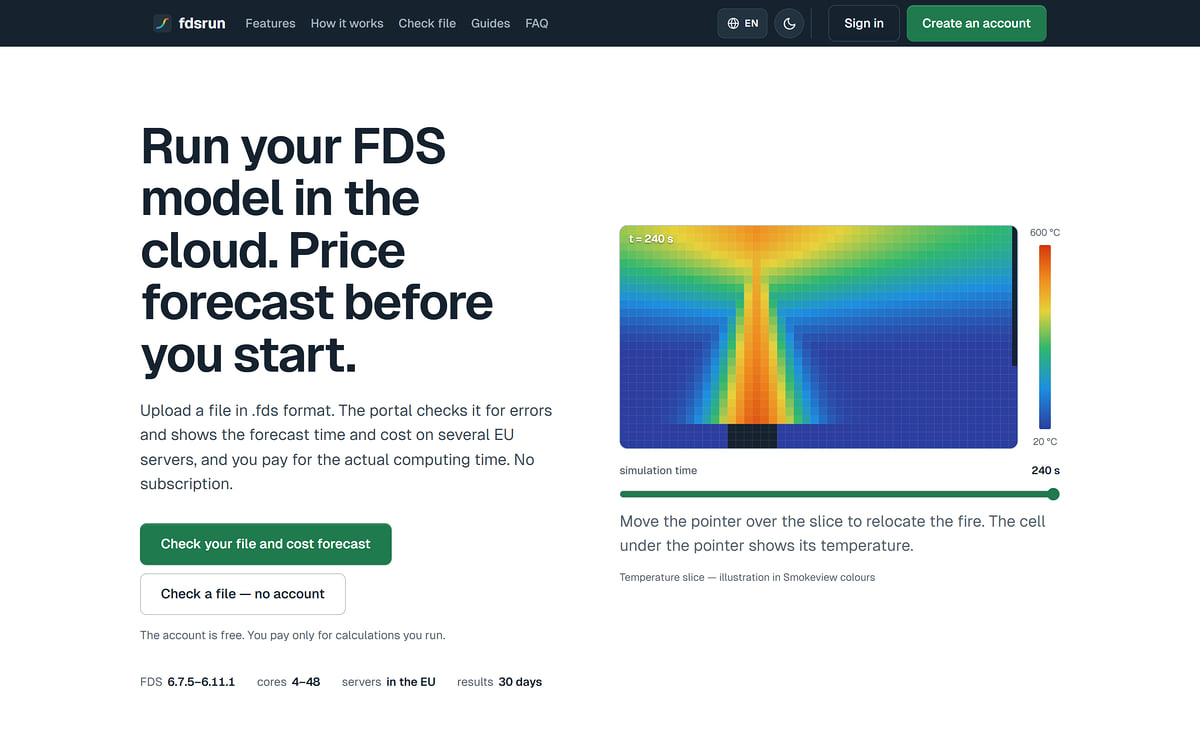
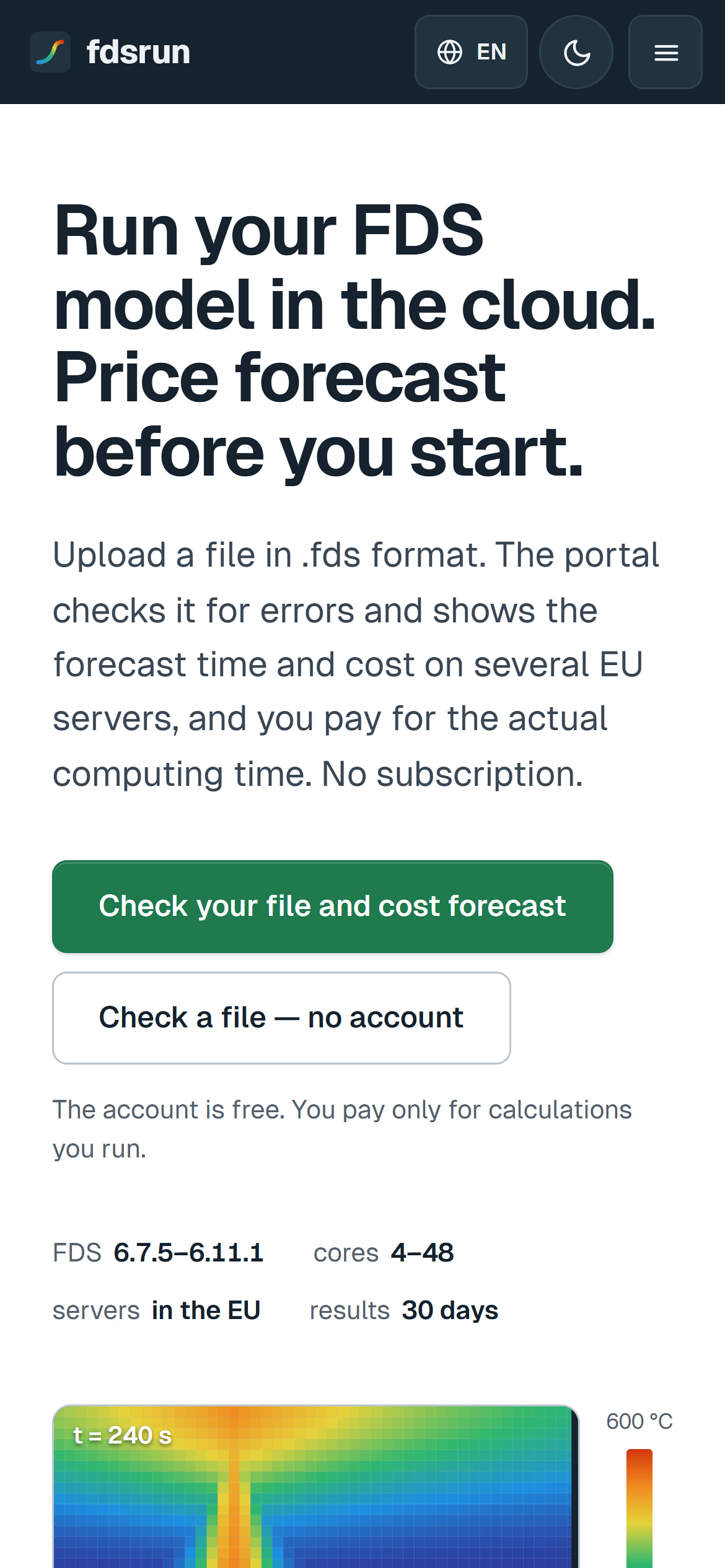
The biggest worry about computing in the cloud is a bill with no upper limit. The first screen answers it in the headline: “Price forecast before you start”. Below are two buttons – a file check with a cost forecast, or just the check without an account – and four facts: FDS versions, number of cores, EU servers, 30 days for results.
A look at the dashboard instead of promises
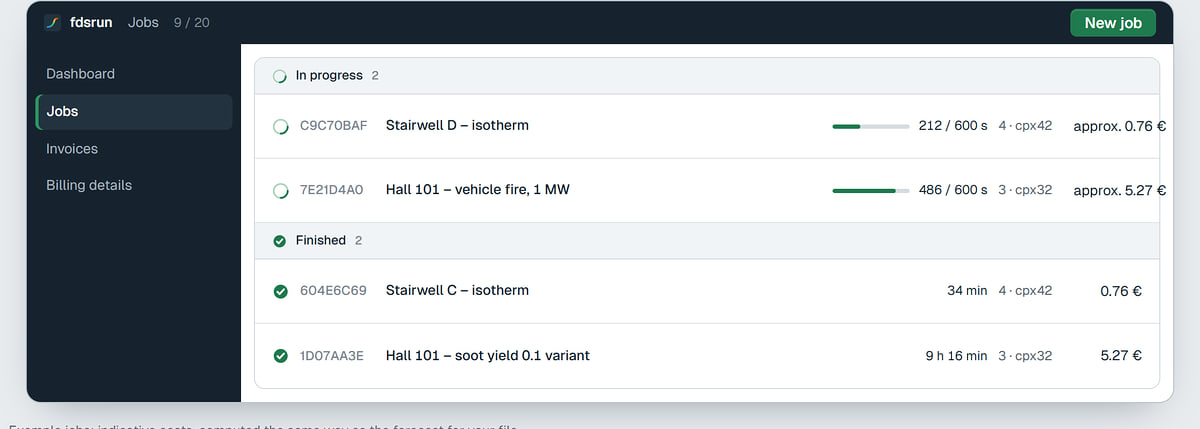
Right under the headline there is a mock-up of the jobs dashboard: runs in progress with a progress bar and the current cost, finished ones with their duration and amount. An engineer sees what they will be working with before creating an account. The temperature slice next to it reacts to the pointer – the fire follows the mouse.
Three steps instead of a manual
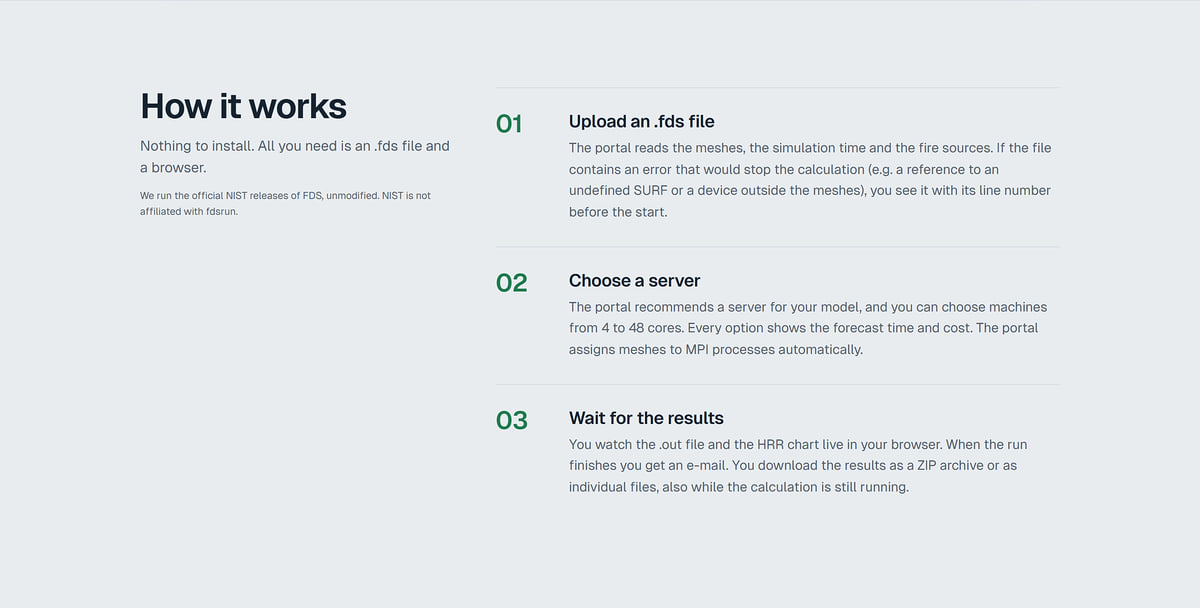
Upload a file, choose a server, wait for the results. Each step says what the portal does for the user: it catches errors with a line number, recommends a server and splits meshes into MPI processes, shows the .out file and the HRR chart live, and sends an e-mail when the run is done.
What happens after signing in
Every job runs on a separate server that the application starts, monitors and deletes when it is done. The user only sees the progress, the cost and the finished files.
File check
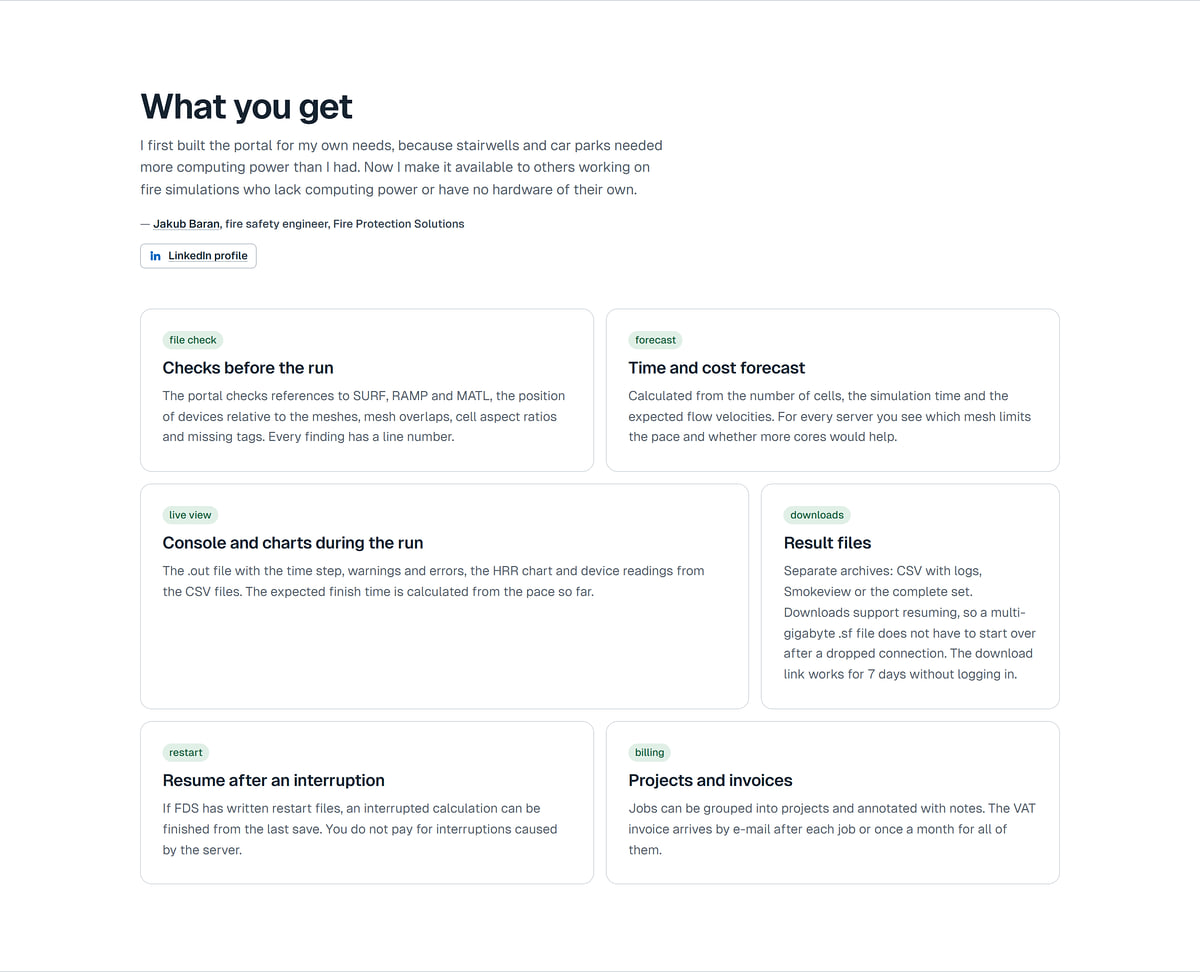
References to SURF, RAMP and MATL, devices outside the mesh, overlapping meshes – every error with a line number.
Time and cost forecast
Separately for each server, showing which mesh limits the pace and whether more cores would help.
Live view
A console with the .out file, the HRR chart and device readings during the run.
Downloadable results
Separate archives, resumable downloads of large files and a link valid for 7 days without logging in.
Projects and invoices
Jobs grouped into projects, a VAT invoice per job or monthly, a −50% student account.
Data in the EU
A separate server for every job, deleted afterwards. Sign-in with a password and 2FA or a Google or Microsoft account.
Pay-per-use instead of a subscription
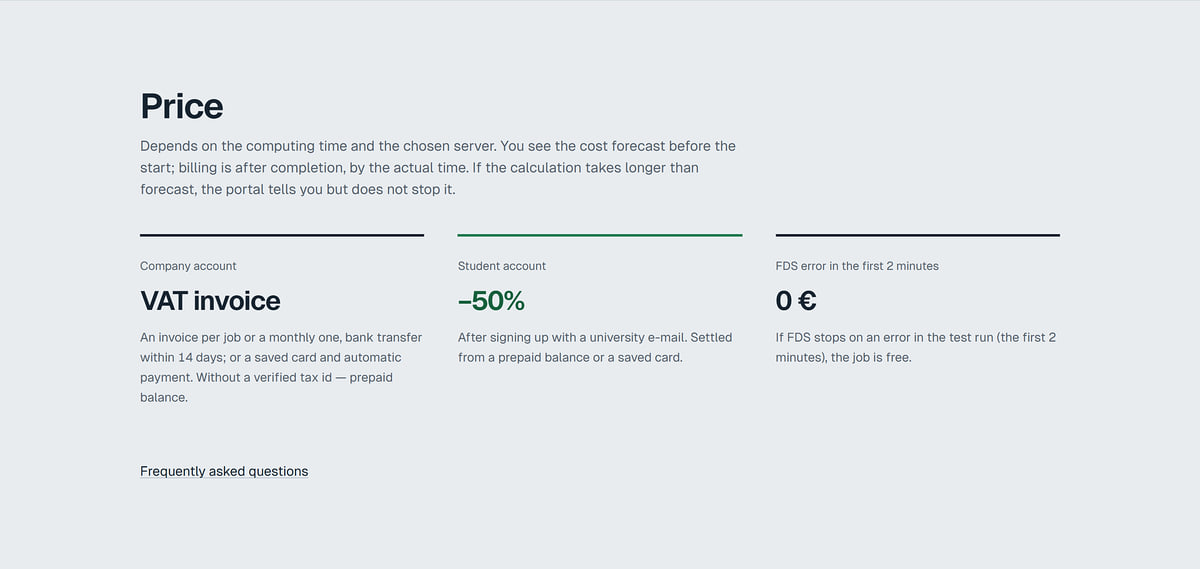
The account is free. Customers pay for the actual computing time and see the forecast before the start. Companies get a VAT invoice per job or a monthly one, and students who sign up with a university e-mail pay 50% less.
One rule lowers the barrier to entry a lot: if FDS stops on an error in the first two minutes, the job costs nothing. Users do not risk money on a typo in their file.
Free tools and guides that lead to sign-up
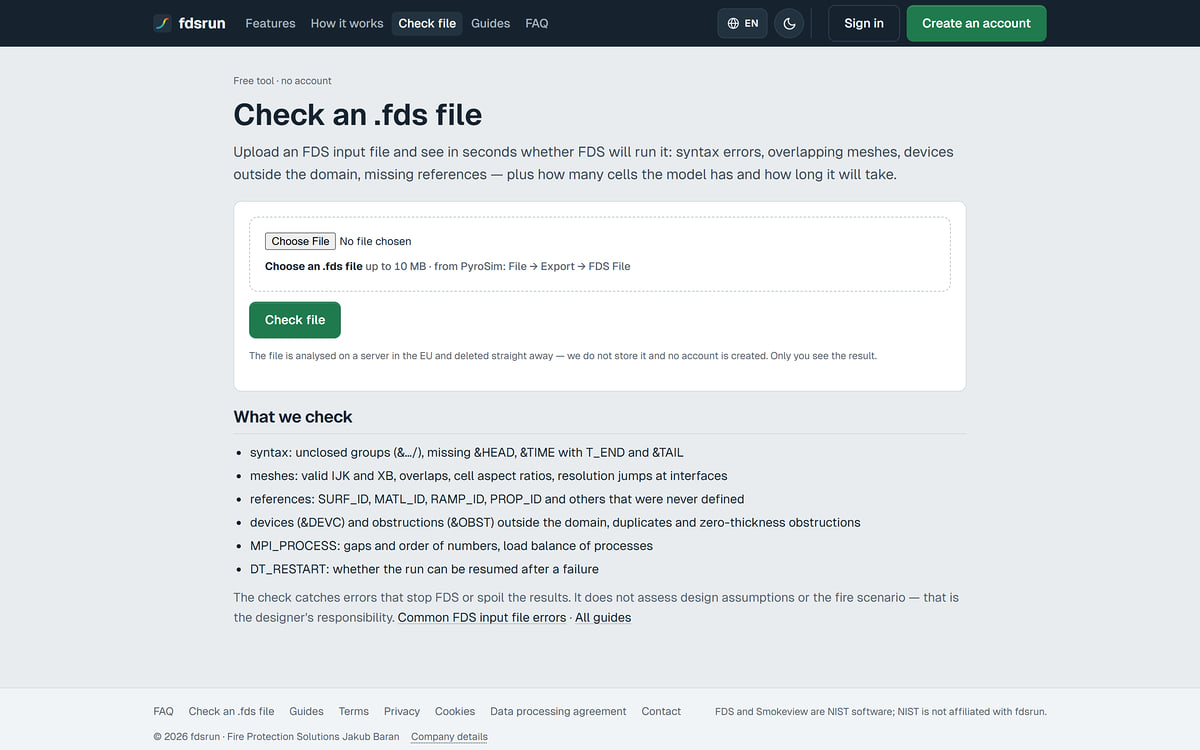
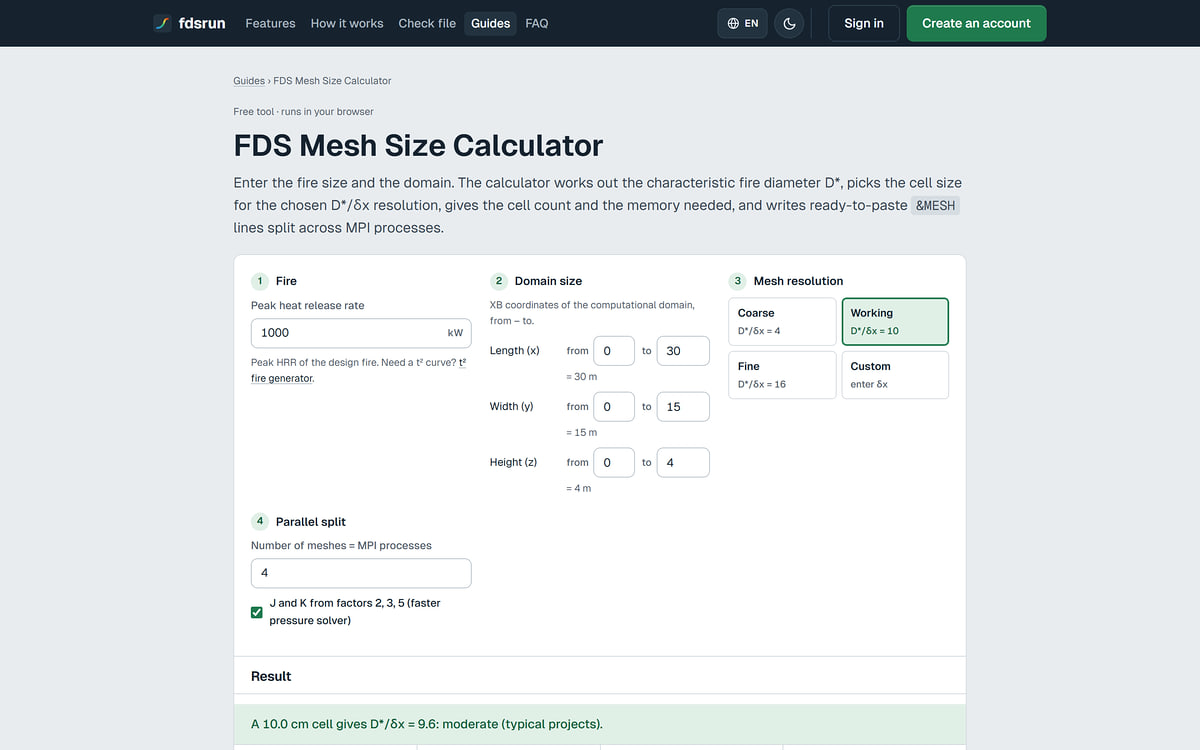
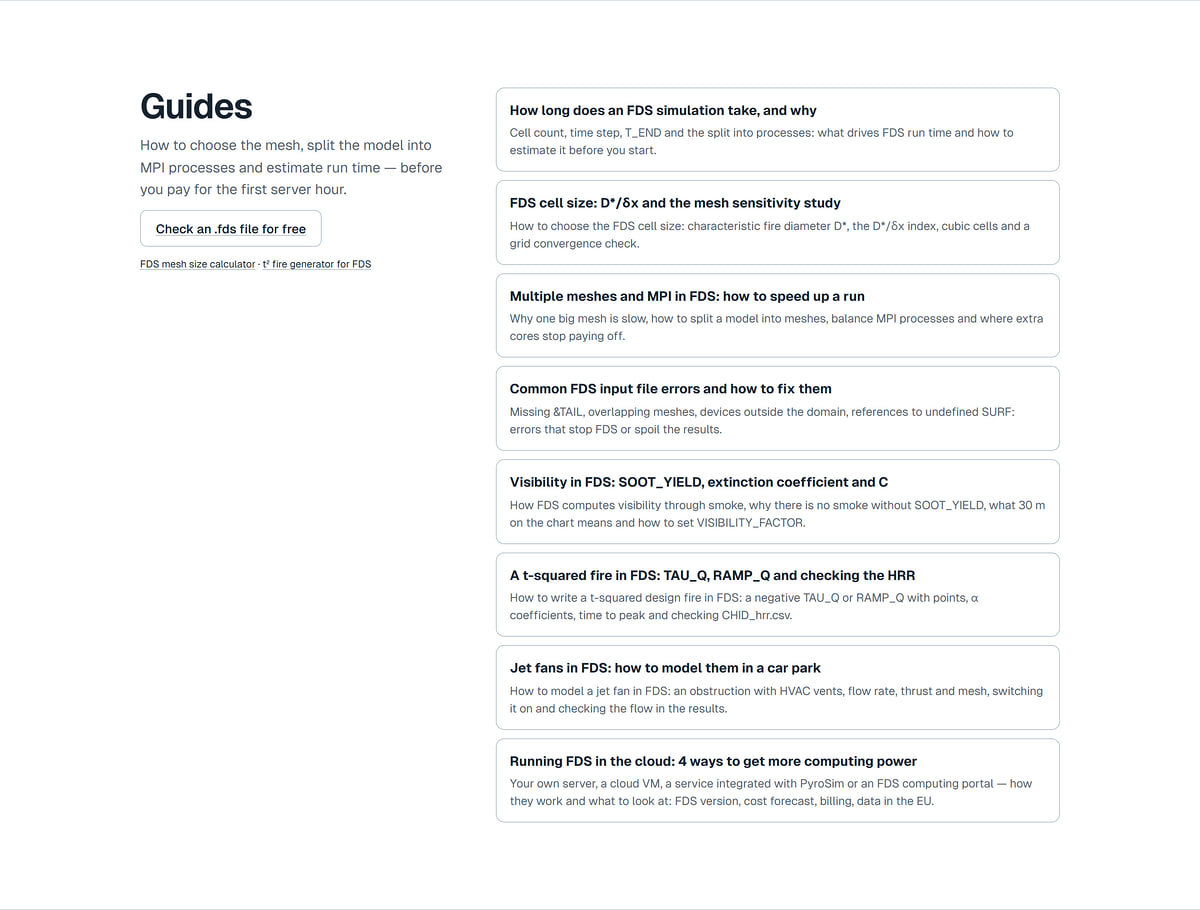
A file check without an account, a mesh size calculator, a t² fire generator and eight guides – from simulation time to jet fans. Each one answers a question typed into Google and ends with an invitation to the portal.
Check your run from your phone
The model is prepared at a desk, but runs can take hours. The portal works in the browser, so you can look in from your phone – and it sends an e-mail when the calculation is finished anyway.
On a small screen the headline promising a price forecast and both buttons fit in the first view, and the menu folds into a single icon.
What works in a SaaS application
Solutions we bring to custom web applications – from tools for specialists to portals with payments.
A free first step
The file check works without an account. Users get value within seconds, and signing up comes naturally once they want to run a calculation.
Tools that attract traffic
The mesh calculator and the t² fire generator answer questions engineers type into Google – and lead straight to the portal.
Frictionless payment
A forecast before the run, billing for the actual time, an invoice by e-mail. Zero cost if FDS stops on an error in the first two minutes.
Several markets from day one
The portal works in Polish, English and German, so the same application gathers users from outside Poland.
SaaS application – frequently asked questions
Didn’t find the answer? Write to us.
It depends on the features: sign-in and roles, payments, integrations with external services, an admin panel. We price web applications individually – after a free call we write down the requirements and give a fixed price for the first version. Most often we start with an MVP containing the key feature and payments, and add the rest in stages.
A website presents an offer and collects enquiries. A SaaS application is the product itself: the user creates an account, uses the service in the browser and pays for it online – by subscription or, as in fdsrun, for actual usage. The application’s home page still has to sell, which is why we design both parts together.
A monthly subscription is the simplest. For services whose cost depends on usage, pay-per-use billing with a forecast before the start works better – that is how fdsrun works: the customer sees the estimated cost, pays for the actual computing time and receives a VAT invoice by e-mail. Plus card, BLIK and bank transfer payments.
Through free tools and guides that answer specific questions from Google. fdsrun has a free file check without an account, a mesh size calculator, a t² fire generator and guides on simulation time and input file errors. Each of them is an entry point from search that ends with a “Check your file” button.
Yes. fdsrun has Polish, English and German versions with a language switcher in the menu. Multilingual support is best planned from the start – then adding another language means translating content, not rebuilding the application.
See the application through a user’s eyes
Go to fdsrun.com, move the fire across the temperature slice and open the file check without an account. In a few minutes you will see how the application answers “how much will it cost?” before anyone asks.
Open fdsrun.comHave an idea for an application in your industry?
Describe what it should do and who will use it. After a free call you will get the scope of the first version and a fixed price – no hourly billing.